Clipboard History
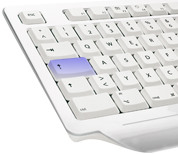
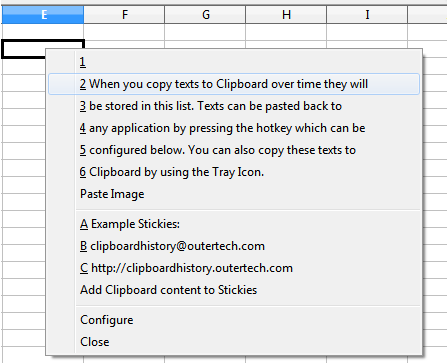
 Many users feel the need for an improved Clipboard, because storage for only one piece of text at a time is just not enough. Clipboard History lets you paste up to hundred Clipboard text entries into any application. Just press the usually idle Caps Lock key and a paste menu will be shown.
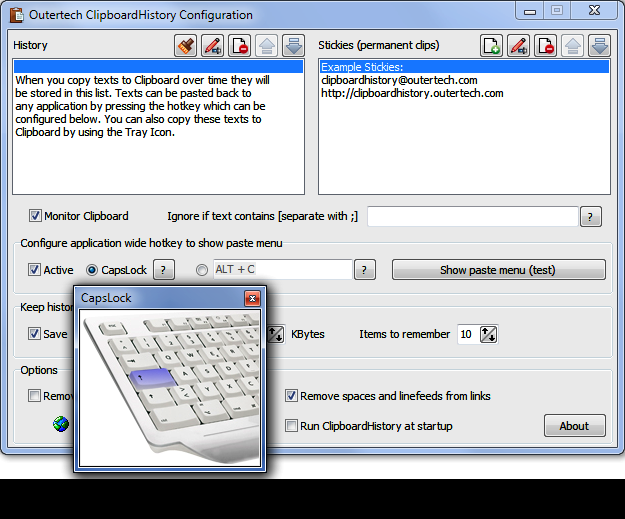
If you would like another hotkey (e.g. Alt + C) for this menu, you can configure it in a minute. Both the Caps Lock key and the user defined hotkeys work from all Windows applications. Not a fan of hotkeys? You can use the Tray Icon to access to Clipboard History text items!
For text snippets that you need often, like your email address or phone number, Clipboard History offers the Stickies feature. You can add Sticky items to the paste menu, so Clipboard History will display both the last text items you have copied to Clipboard and your predefined text clips.
| Clipboard History Lite (free) | Clipboard History Pro (30 day free trial, $24.95 after) |
|
|---|---|---|
| licensing | no restrictions including commercial usage | no restrictions including commercial usage |
| paste menu works in every application |  |
|
| optional cloud synchronization |  |
support for Dropbox, Google Drive, OneDrive, and many others |
| archive (permanent database) | |
|
| language support | western/latin languages | all languages (Unicode) |
| Sticky categories (sub menus) | |
|
| Rich Text Format support | |
|
| HTML -> RTF auto convertion | |
|
| optional portable version | |
|
| optional AES encryption | |
|
| history depth | 2..20 | 2..100 |
| archive depth (includes history) | 0 | unlimited |
| permanent text clips (stickies) | 2..20 | unlimited |
| data format | Registry Text | JSON |
| search | |
|
- quickly accessible menu (Caps Lock key) of text items copied to Clipboard
- alternatively a user defined hotkey to show the menu
- works within any Windows software
- optional password protection and AES encryption
- support for permanent text clips (Stickies)
- history can optionally persist across Windows reboots/shutdowns/logoffs (default on)
- archive feature to store any text ever copied to clipboard
- optional cloud synchronization between multiple computers
- intuitive user interface with inline help
- installation and configuration can be accomplished within a minute
- Tray Icon to access text items previously copied to the Clipboard
- retains text formatting (optionally)
- automatically fixes multiline browser links copied to Clipboard by removing line feeds and white spaces
- filters can be applied for text items you don't want to remember
- optional portable installation to USB sticks
- maximal size for text items to store can be configured
- self-repair feature if other programs break the Clipboard monitoring chain
- function to clear Clipboard content
- JSON data format
- displays Clipboard text content as Tray Icon Tooltip
- free version with less advanced features also available in the download section


Copyright (c) 1999-2026 Outertech. All Rights Reserved.