Opera Addon
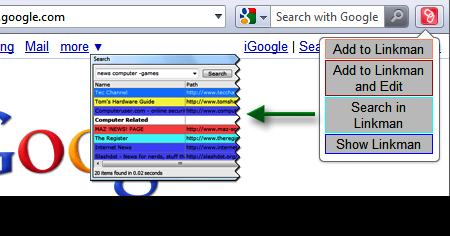 |
The bookmark manager Linkman offers an Opera 11 Addon to allow you a direct interaction with Linkman in the browser. The addon is installed automatically when you install Linkman. |
It can also be installed manually. Make sure you are visiting this page with Opera (at least version 15) and then click here to reinstall the Linkman Opera Addon. |
In the search window, Linkman uses wildcards and operators to combine search terms. AND (default), OR, AND NOT and the '-' sign can be used. Example: a search for opera bookmark manager -firefox will find all links containing the keyword opera, bookmark, AND the keyword manager, but NOT containing the keyword firefox.
Opera and Linkman communicate over TCP/IP port 80.
If you use this port for another application you can configure Opera and Linkman to exchange data other a different port (right click Linkman button | Preferences).

The communication port must be also changed in Linkman (Tools | Settings | Browser).


Copyright (c) 1999-2024 Outertech. All Rights Reserved.